
10 Social Media Engagement Tools for 2026

What does “engagement” mean in your workflow? It might mean creating early LinkedIn momentum, writing thoughtful replies, coordinating a professional community, moderating paid comments, or routing customer conversations across several networks. Those are different operational problems, and a tool that excels at one can be a poor fit for another.
This comparison groups social media engagement tools by the job they solve rather than by a generic feature checklist. It covers LinkedIn-first products for rapid interaction, creator tools for publishing and replying, pod-based systems, and multi-network inboxes for customer care and moderation. Automation can remove repetitive coordination, but it shouldn't replace relevant human judgment, especially when a reply represents your expertise or brand.
The practical criteria are network coverage, engagement model, workflow speed, moderation depth, analytics, team scale, and authenticity controls. LinkedIn deserves particular attention because early interaction matters there. A widely cited benchmark reports that posts earn about 70% to 85% of lifetime impressions in the first 24 hours, with 88% to 97% arriving within seven days. The same analysis says the median reply arrives 2.2 hours after the message that earned it, while 41.2% of replies arrive within the first hour. Narrareach's take on audience engagement tools provides useful background, but the right choice still depends on the interaction you need to manage.
Table of Contents
- 1. Linkboost
- 2. Taplio
- 3. Engage AI
- 4. Lempod
- 5. Podawaa
- 6. Sprout Social
- 7. Hootsuite
- 8. Statusbrew
- 9. Agorapulse
- 10. NapoleonCat
- Top 10 Social Media Engagement Tools Comparison
- Build an Engagement Workflow, Not Just a Tool Stack
1. Linkboost
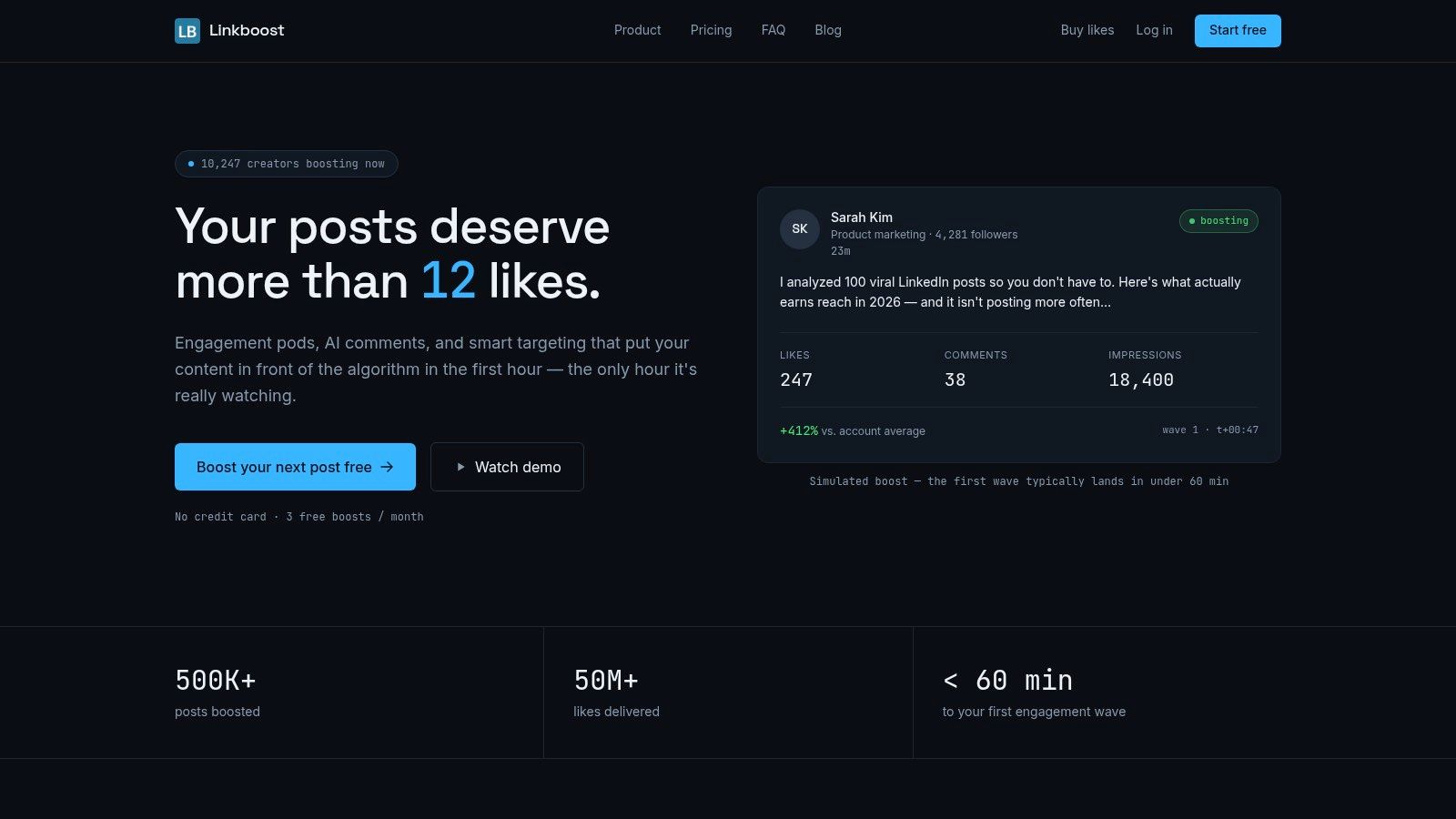
For teams trying to create LinkedIn momentum in the first hour after publishing, Linkboost addresses a specific workflow problem: coordinating early engagement while a post is still gaining distribution. It manages vetted engagement pods, early likes, and AI-assisted comments in one place, combining pod management, discovery, commenting, and analytics rather than making users operate several disconnected tools.
Speed is useful only when replies remain relevant. Smart Feed surfaces priority posts for in-context responses, while Discover and Engage help users find conversations by topic and audience. The AI reads the post before drafting a comment, which gives the response more context than a fixed template. Users can edit each draft or send it as written. Multilingual commenting, plus country and language filters, helps teams keep participation aligned with the intended audience.
Practical rule: Use automation to remove coordination work, not to publish every response without review.
Linkboost runs server-side with rate-limited, spaced interactions, so it does not depend on a browser extension attached to the user's account. Blocklists, bans, and reporting controls help maintain pod quality. Post-level and pod-level analytics cover impressions, reactions, comments, performance against account averages, and contribution metrics. That gives teams a way to assess whether early engagement supports a repeatable content strategy or merely produces activity.
The free tier includes three boosts per month, core analytics, and basic pod features. Premium and Plus are billed yearly at published per-month rates, while Enterprise plans are custom, so buyers should check current pricing before choosing a tier. The free plan suits workflow testing. Paid plans fit creators, agencies, B2B marketers, and sales teams that publish consistently.
Linkboost cannot compensate for weak positioning or irrelevant content. Use it when strong posts need coordinated early attention, not as a substitute for sound content or thoughtful participation.
2. Taplio
Taplio suits solo creators and lean teams that want one LinkedIn workspace for publishing, discovery, and replies. Its Engage module surfaces people and posts worth interacting with, while AI smart comments and replies reduce the time spent drafting routine responses. The Chrome extension adds in-feed statistics and shortcuts, so users can work inside LinkedIn without abandoning the platform's native context.
Taplio's strongest use case is a creator who needs a sustainable daily habit rather than a managed customer-care operation. A typical workflow might involve drafting several posts in the calendar, reviewing suggested conversations, using the AI to create a first response, then editing the language to preserve personal tone. Scheduling, content planning, and post analytics live in the same product, which reduces the friction between publishing and follow-up.
Where Taplio fits
Taplio is more useful than a general scheduler when LinkedIn is the primary channel and the same person handles content and engagement. It helps reduce scroll time by bringing relevant activity into a defined workflow. The seven-day trial gives users a way to evaluate the Pro features before committing.
The limitation is equally clear. Taplio isn't a full social inbox for customer care across multiple networks, and its value is concentrated on LinkedIn. AI-generated replies still need human editing when a conversation involves nuance, disagreement, client context, or a sensitive topic. Compared with Linkboost's approach to LinkedIn engagement, Taplio is the better fit for creator publishing and personal engagement management, while Linkboost is more focused on coordinated early momentum and pod operations.
3. Engage AI
Engage AI addresses LinkedIn engagement through a structured community model. Members submit posts, receive human comments through a give-to-get arrangement, and use software to assign posts and track whether participants complete their interactions. That structure is useful for consultants, agencies, and professional groups that prefer accountable human participation over fully automated delivery.
The service is designed around a defined cadence rather than a one-time burst. Its community plans describe delivery of 15 real comments per post over five days, while individual and group plans provide software for assignments and completion tracking. AI assistance helps members draft replies in their own voice, but the human community remains the central mechanism.
The trade-off of reciprocal participation
Engage AI requires members to contribute to other people's posts to remain eligible. That obligation can produce more considered participation than an unmanaged group where members join but rarely act. It also creates operational overhead. Each participant must understand the rules, keep up with assigned content, and avoid leaving shallow comments just to satisfy the exchange.
This model can work well when the group has a clear professional fit and members understand one another's subjects. It becomes less useful when participants come from unrelated niches or treat the process as a quota. The tool isn't a replacement for a social inbox, broad network management, or customer support. Choose it when human accountability and a measured commenting cadence matter more than instant, non-reciprocal distribution.
4. Lempod
Lempod is aimed at experienced LinkedIn users and agencies that want granular control over pod selection and engagement volume. Its marketplace model gives users access to a catalogue of LinkedIn pods, with credits, scheduling, and AI features tied to the selected plan. The credit system is explicit, with one Gold credit converting to 50 Silver credits, allowing users to understand how allocations translate into activity.
That transparency is useful for agencies managing several client workflows. A team can compare pod availability, select communities that appear relevant to a client's audience, and monitor the engagement allocation attached to each plan. The product's agency, corporate, and enterprise options also make it more suitable for volume management than a small creator tool.
Use control without creating a pattern
Pod engagement carries an authenticity risk when every participant reacts in the same way or when a group has little topical relevance. Lempod provides scale and control, but the operator still has to curate pod membership, vary participation naturally, and review whether comments contribute to the discussion. More activity isn't automatically better activity.
The product's Chrome extension availability and workflow have changed over time, so teams should confirm the current setup before building a process around it. Linkboost's Lempod alternative is worth comparing for teams that want server-side operation, discovery, AI-assisted context, and analytics in a single workflow. Lempod fits users who value a broad pod marketplace and detailed allocations, provided they can manage the quality and platform-risk implications themselves.
5. Podawaa
Podawaa focuses on first-hour LinkedIn interaction with a choice between reciprocal community participation and paid private delivery. Its Community mode is available through Chrome, while Private plans provide engagement without requiring the user to connect their account for reciprocal activity. That distinction makes the product easy to position against a specific operational constraint.
The workflow is straightforward. A user schedules or submits a post, selects the desired boost, and tracks requested versus delivered engagement. Higher plans add more likes and comments, automation, a comment inbox, scheduling, and Studio features for AI-assisted post writing. The progress view is helpful because it separates what was requested from what arrived.
Community or private delivery
Community mode suits users who are willing to engage with other members' posts in exchange for activity on their own content. Private mode suits users who want to avoid that reciprocal workload, although it requires a paid plan. AI comments can save drafting time, but they should be reviewed for accuracy, tone, and whether they add anything to the conversation.
Podawaa bills in euros, so US-based buyers should verify exchange rates and taxes at checkout. Its value is strongest for a LinkedIn creator who wants a clear first-hour workflow and a choice between community participation and paid delivery. Linkboost's alternative to Podawaa is a relevant comparison when integrated discovery, pod analytics, multilingual commenting, and server-side automation are higher priorities.
6. Sprout Social
Sprout Social solves a different engagement problem from the LinkedIn pod tools. Its Smart Inbox brings together comments, messages, reviews, and other inbound interactions across networks, with moderation, collision detection, collaboration, and customer-care workflows. It fits a team that needs to ensure the right person sees and answers a conversation, not a creator trying to generate an initial burst of reactions.
A practical workflow starts with unified triage. Team members can assign conversations, moderate comments, coordinate responses, and use AI Assist for publishing and replies. Helpdesk and CRM integrations on higher tiers help connect social interactions with broader service operations. Advanced analytics can then report on content performance, team productivity, and care activity.
The best inbox tool is the one that makes ownership obvious before a customer has to ask twice.
Sprout Social supports LinkedIn inside a broader multi-network environment, which is valuable when a brand manages LinkedIn, Instagram, Facebook, X, reviews, and other channels together. Its weakness is cost complexity. Seat-based pricing can become expensive as teams grow, while listening and advanced care capabilities may require higher tiers or add-ons.
Social management suites evolved toward analytics and unified workflows because platform performance differs sharply. One benchmark cited by Statusbrew places average engagement around 2.63% on TikTok, 0.43% on Instagram, 0.063% on Facebook, and 0.029% on X. Hootsuite's overview of social media engagement explains the broader shift toward combining publishing, engagement, and analytics. Sprout Social makes sense when response governance and customer care matter more than LinkedIn-specific momentum.
7. Hootsuite
Hootsuite is a full-stack platform for brands and agencies that need publishing, engagement, analytics, and listening from one vendor. Its unified Inbox supports LinkedIn public and private interactions, while collaboration, routing, contact attributes, and AI assistance support larger operational teams. The breadth is the main reason to choose it.
A team might schedule a campaign, monitor responses across networks, route a technical question to support, and review analytics without switching systems. Hootsuite's Wisdom assistant extends across publishing, messaging, listening, and analytics. That can help reduce repetitive work, but it shouldn't be treated as permission to automate sensitive replies without approval.
Coverage versus complexity
Hootsuite is useful when broad network coverage is more important than a specialised LinkedIn workflow. It also documents LinkedIn API caveats, which helps teams set realistic expectations about what third-party software can access and automate. Those limitations aren't unique to Hootsuite. Social tools remain dependent on the permissions and features each network exposes.
The drawback is the operating cost and the learning curve. Seat-based pricing can rise quickly as more people need access, and advanced listening or enterprise functions may sit in higher tiers. Hootsuite's social media management overview is the right place to confirm current availability before procurement. Choose Hootsuite when a team needs a mature, broad platform, not when the only requirement is generating early LinkedIn comments.
8. Statusbrew
Statusbrew is designed for teams that work primarily in the inbox and need fast rules-based triage. Its Engage Inbox covers LinkedIn, X, Instagram, Facebook, YouTube, TikTok, Google Business, and reviews. The Rule Engine can auto-hide or delete spam, apply labels, route conversations, and support moderation across paid and organic comments.
The workflow is especially practical for a team facing a busy stream of comments. Users can create configurable views, apply filters, classify sentiment, translate messages, and assign work based on rules. Collision detection helps prevent two agents from answering the same customer, while team and SLA reporting gives managers a view of response operations.
Rules should remove noise, not judgment
Statusbrew's automation is most valuable for repetitive, low-risk tasks such as spam handling, categorisation, and routing. It is less appropriate to auto-publish a response to a complaint, refund request, or nuanced public criticism without human review. AI sentiment can assist prioritisation, but sentiment labels don't replace reading the actual message.
The product is a strong mid-market option for teams managing paid comments, organic discussions, DMs, and reviews in one environment. Its plan matrices are clear, but feature access and limits vary by tier, so buyers should verify the exact inclusions. Statusbrew is a better choice than a LinkedIn-only tool when inbox speed, moderation depth, and team accountability are the central problems.
9. Agorapulse
Agorapulse takes a clean, inbox-led approach for small and midsize teams. Its unified inbox supports LinkedIn and other networks, alongside publishing, reporting, and documented sync behaviour. The product is easier to adopt than a complex enterprise suite, which matters when the people managing social also handle content, campaigns, and customer replies.
A typical workflow starts with collecting comments, mentions, direct messages, and reviews in one place. Team members can assign conversations, respond, and use publishing tools to keep the content calendar moving. Higher tiers add competitor benchmarking and more advanced reporting, while plan-based retention and add-ons should be reviewed before the team commits to a long-term archive or reporting process.
A practical middle ground
Agorapulse fits organisations that need dependable daily engagement without building a large governance system. Published per-user pricing and clear plan documentation make initial evaluation easier, although per-seat costs can increase as more collaborators join. That trade-off is acceptable when a small team values predictable workflows and a clean interface more than deep enterprise listening.
The platform won't replace a LinkedIn momentum tool if early coordinated reactions are the main objective. It does, however, provide a stronger operating layer for replies and social care across multiple channels. Choose it when the team's priority is to collect, assign, answer, publish, and report from a manageable shared workspace.
10. NapoleonCat
NapoleonCat is the moderation specialist in this group. Its Social Inbox consolidates conversations, while Auto-Moderation uses rules to handle repetitive actions across paid and organic comments. The platform supports LinkedIn, YouTube, TikTok, and major paid-comment environments, including Facebook and Instagram ads and TikTok ads.
That makes it useful for a team whose largest engagement problem isn't finding comments, but processing them safely and consistently. A moderation workflow can hide spam, apply rules, suggest replies, and route exceptions to a human. Automated analytics and reporting cover profiles and pages, including LinkedIn, so managers can review activity without manually assembling every report.
Moderation automation should make the queue smaller while keeping the difficult conversations visible.
NapoleonCat is more focused on comment operations than content ideation. A brand that needs advanced post creation, executive publishing, or campaign planning may need to pair it with another content tool. Its pricing model can be cost-friendly for moderation-heavy teams because it isn't strictly seat-based in every scenario, but regional pricing and VAT treatment should be confirmed at checkout.
This is a strong fit for paid-media teams, community managers, and agencies handling high comment volume. It's less compelling for a founder whose main challenge is making a new LinkedIn post visible during its initial distribution window. Select it when moderation workload, rule-based handling, and reporting matter more than creator growth features.
Top 10 Social Media Engagement Tools Comparison
| Product | Core features | Quality (★) | Unique selling points (✨) | Audience & Price (👥 / 💰) |
|---|---|---|---|---|
| Linkboost 🏆 | Pods (first-hour), AI comments, Smart Feed, Discover, post & pod analytics, server-side automation | ★★★★★ | ✨ Server-side, context-aware AI comments; multilingual marketplace; integrated discovery + analytics | 👥 Creators, B2B marketers, agencies; 💰 Free (3 boosts) → $31/mo (Premium) → $47/mo (Plus) / Enterprise |
| Taplio | Scheduling + calendar, Engage module, Chrome extension, AI "smart replies" | ★★★★☆ | ✨ LinkedIn-first publishing + engagement workflow | 👥 Solo creators & lean teams; 💰 7‑day trial → Pro (mid-tier pricing) |
| Engage AI | Structured pod community, human comments (15 over 5 days), AI-assist tools | ★★★★☆ | ✨ Managed human commenting with accountability & cadence | 👥 Consultants, agencies, groups; 💰 Individual & group plan pricing |
| Lempod | Credits-based pod marketplace, scheduling/AI tied to credits, high-volume plans | ★★★☆☆ | ✨ Granular credit quotas and transparent conversions for scale | 👥 Agencies & experienced users; 💰 Credit tiers (volume-priced) |
| Podawaa | First-hour boosts, Community vs Private modes, AI Studio, scheduling | ★★★☆☆ | ✨ Private (non-reciprocal) mode; boost progress tracking | 👥 Creators wanting quick boosts; 💰 Free (5 boosts/mo) → Paid EUR tiers |
| Sprout Social | Unified Smart Inbox, AI assist, team workflows, advanced analytics | ★★★★☆ | ✨ Mature customer care + reporting across networks | 👥 Teams & customer-care orgs; 💰 Seat-based (enterprise pricing) |
| Hootsuite | Publishing, Inbox/Nest, AI "Wisdom", listening & analytics across channels | ★★★★☆ | ✨ Full‑stack multi-channel management and publishing | 👥 Brands & agencies; 💰 Seat-based plans, enterprise options |
| Statusbrew | Engage inbox, Rule Engine, AI sentiment, automation for moderation/routing | ★★★★☆ | ✨ Fast triage with heavy automation & routing rules | 👥 Mid-market teams & agencies; 💰 Plan-based (confirm limits) |
| Agorapulse | Unified inbox, publishing, reporting, competitor benchmarking | ★★★★☆ | ✨ Clean UX with published per-user pricing | 👥 SMB teams & agencies; 💰 Per-user plans (clear tiers) |
| NapoleonCat | Social Inbox, Auto-Moderation, AI reply suggestions, ad comment coverage | ★★★★☆ | ✨ Strong auto-moderation for paid & organic comments | 👥 Moderation-heavy teams; 💰 Cost-friendly moderation plans (region/VAT vary) |
Build an Engagement Workflow, Not Just a Tool Stack
The right choice starts with the interaction you need to improve. Linkboost, Engage AI, Lempod, and Podawaa are the closest fits when the priority is LinkedIn momentum and coordinated commenting. They differ in how they create that activity. Linkboost combines discovery, Smart Feed commenting, pod management, AI assistance, and analytics. Engage AI leans on accountable human participation. Lempod offers a marketplace and granular credit controls. Podawaa separates reciprocal community activity from private paid delivery.
Choose Taplio when publishing and personal LinkedIn engagement belong in the same creator workflow. It's useful for drafting, scheduling, discovering conversations, and accelerating replies, but it isn't intended to replace a multi-network customer-care inbox. The distinction matters. A creator may need better daily consistency, while a support team needs assignment, moderation, routing, and service records.
For those latter jobs, consider Sprout Social, Hootsuite, Statusbrew, Agorapulse, or NapoleonCat. Sprout Social and Hootsuite provide broad suites for publishing, engagement, analytics, and listening. Statusbrew is particularly relevant when rules-driven inbox triage and moderation speed dominate. Agorapulse offers a clean middle ground for teams that want dependable inbox management without enterprise complexity. NapoleonCat is the most moderation-focused option, especially when paid and organic comments create a large operational queue.
Measurement should determine whether the workflow stays in place. LinkedIn engagement averaged 5.20% in 2026, up 8% year over year, in Socialinsider's analysis of 1.3 million posts from 16,645 business pages. Carousel and native document posts led formats at 7.00% average engagement in that analysis. Socialinsider's LinkedIn benchmark provides the context, but a benchmark doesn't prove that a particular boost or comment caused a business result.
Track reactions and comments, but don't stop there. Independent analysis separates LinkedIn measurement into content metrics, audience metrics, and outcomes, while native dashboards generally cover the first two. Another 2026 benchmark found that average LinkedIn post engagement increased even as impressions, likes, comments, and shares declined by 10%, which shows why surface metrics can move in different directions. Swydo's analysis of LinkedIn analytics tools makes the case for connecting engagement activity to clicks, replies, profile actions, qualified conversations, and pipeline.
A durable implementation can stay simple:
- Test one defined workflow: Start with one network, one audience, and one engagement problem instead of buying a full stack immediately.
- Review AI comments: Edit anything that sounds generic, makes an unsupported claim, or misses the point of the post.
- Set moderation rules: Automate spam and routing first, then keep complaints, sensitive topics, and customer-specific issues with trained people.
- Measure downstream outcomes: Compare clicks, replies, qualified conversations, and pipeline against reactions and comments.
- Audit authenticity: Remove irrelevant pod members, watch for repetitive replies, and confirm that engagement reflects the audience you want.
Social media management software is already broadly adopted, with G2 data cited in 2026 placing average adoption at 72%, including 51% among small businesses and 44% among mid-market companies in software, IT, and marketing or advertising. The same source projects the market to grow from USD 39.14 billion in 2026 to USD 164.52 billion by 2034, a 19.70% CAGR. G2's social media management software overview reflects a category becoming an operating layer rather than an optional scheduling add-on.
That growth doesn't make every automation tactic safe or effective. Research on reciprocity abuse found that pod use can increase organic post interaction, while practitioner guidance warns that effects can diminish as algorithms adapt and that impressive engagement may fail to convert. Official-API and read-only approaches are increasingly emphasised because access and enforcement risks matter alongside growth. Treat tools as workflow infrastructure, keep humans responsible for meaning, and select the product that improves the business outcome you need.
Linkboost coordinates vetted LinkedIn engagement pods, AI-generated comments, discovery, Smart Feed commenting, and post and pod analytics in one workflow designed for early momentum. If first-hour silence is limiting the reach of otherwise strong content, visit Linkboost to test a more consistent, measurable approach to LinkedIn engagement.